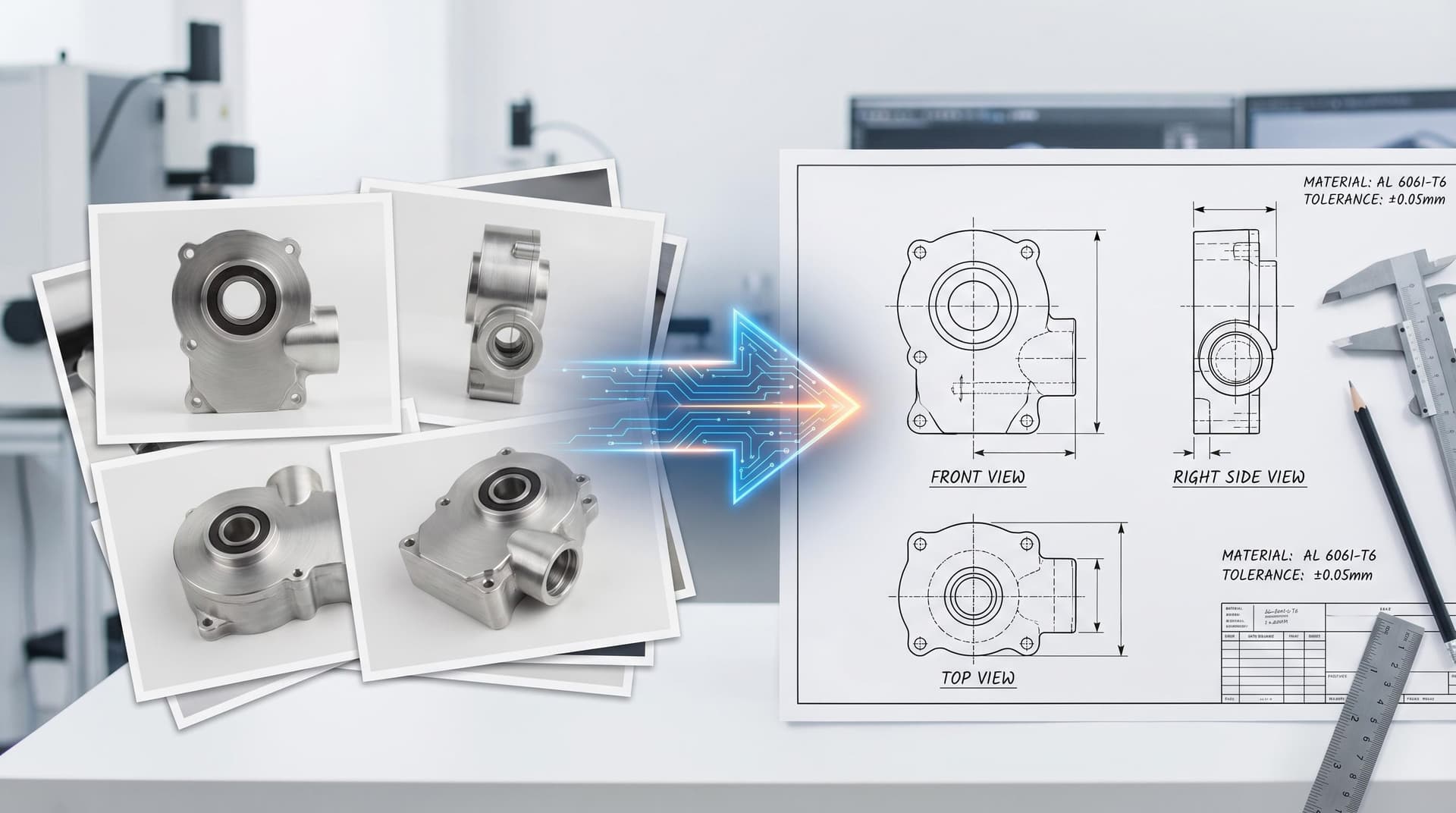
AI chat workspace: describe, iterate, export
The main Chat experience ties together an LLM-backed agent, a 3D preview (GLB/STEP-friendly workflow), and structured outputs such as briefs, BOM hints, and review cards when you run assembly-oriented tasks.
You can start from text, upload photos of real parts or sketches, and switch models from your dashboard Model Configuration page so the same UI works with OpenRouter, DeepSeek, or your own OpenAI-compatible endpoint.
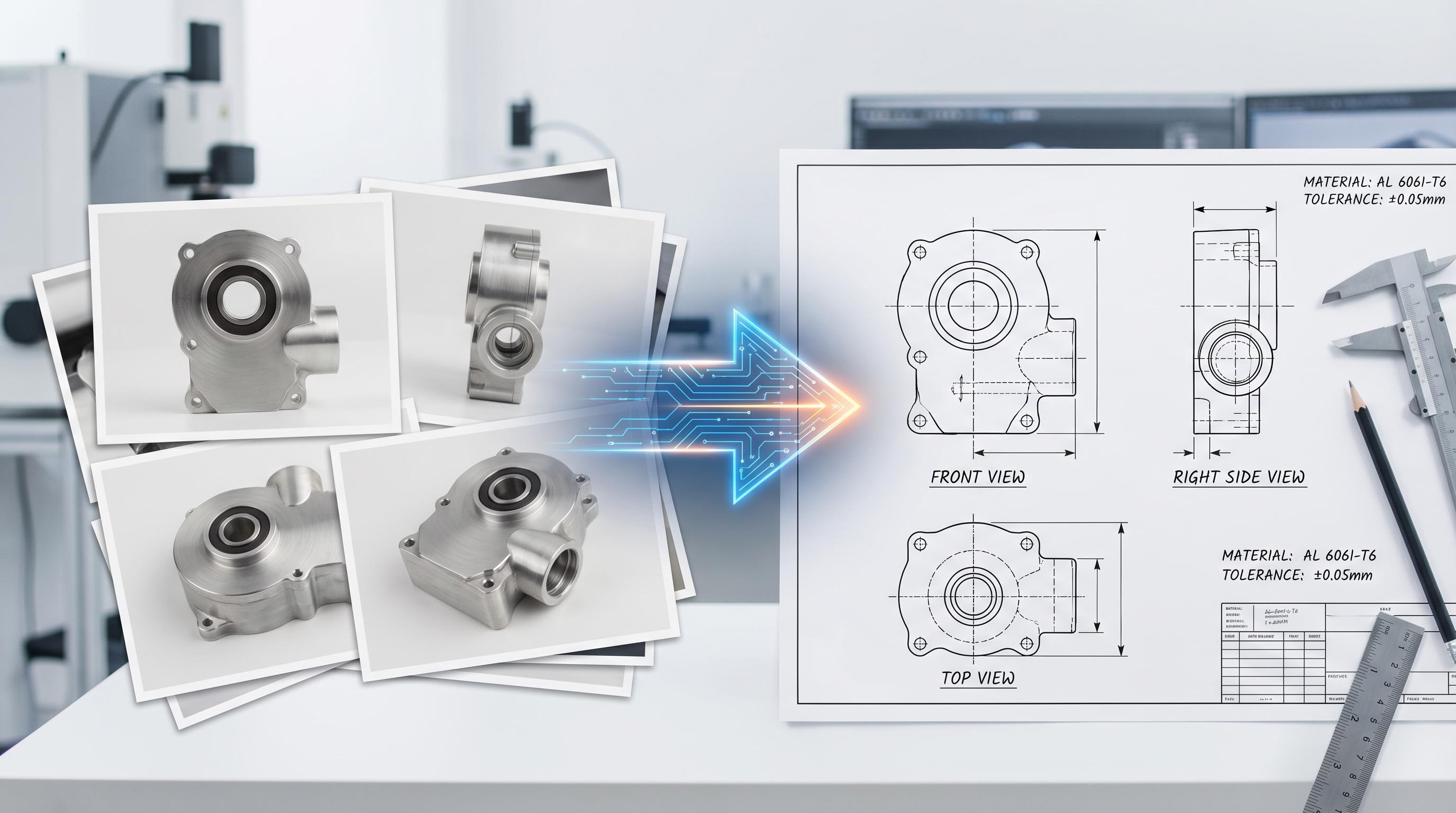
The bridge to FreeCAD (runtime workers + script execution) is what turns model intent into solid geometry and drawings, not just a pretty mesh.
Toolbox: purpose-built CAD utilities
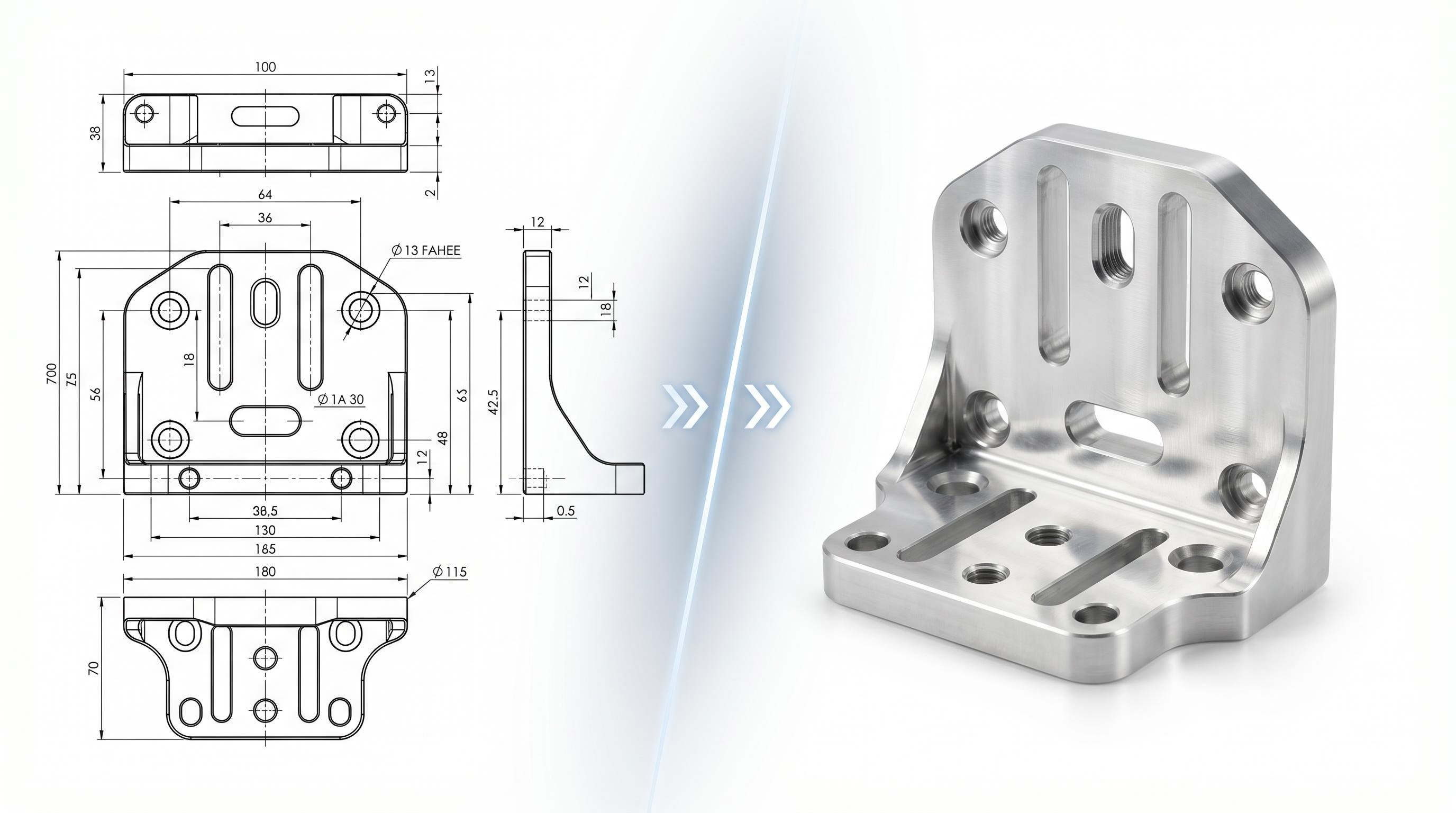
Beyond conversational modeling, Toolbox bundles focused helpers — for example turning imagery into engineering-style visuals, extracting BOM tables from drawings, and exploring assembly views.
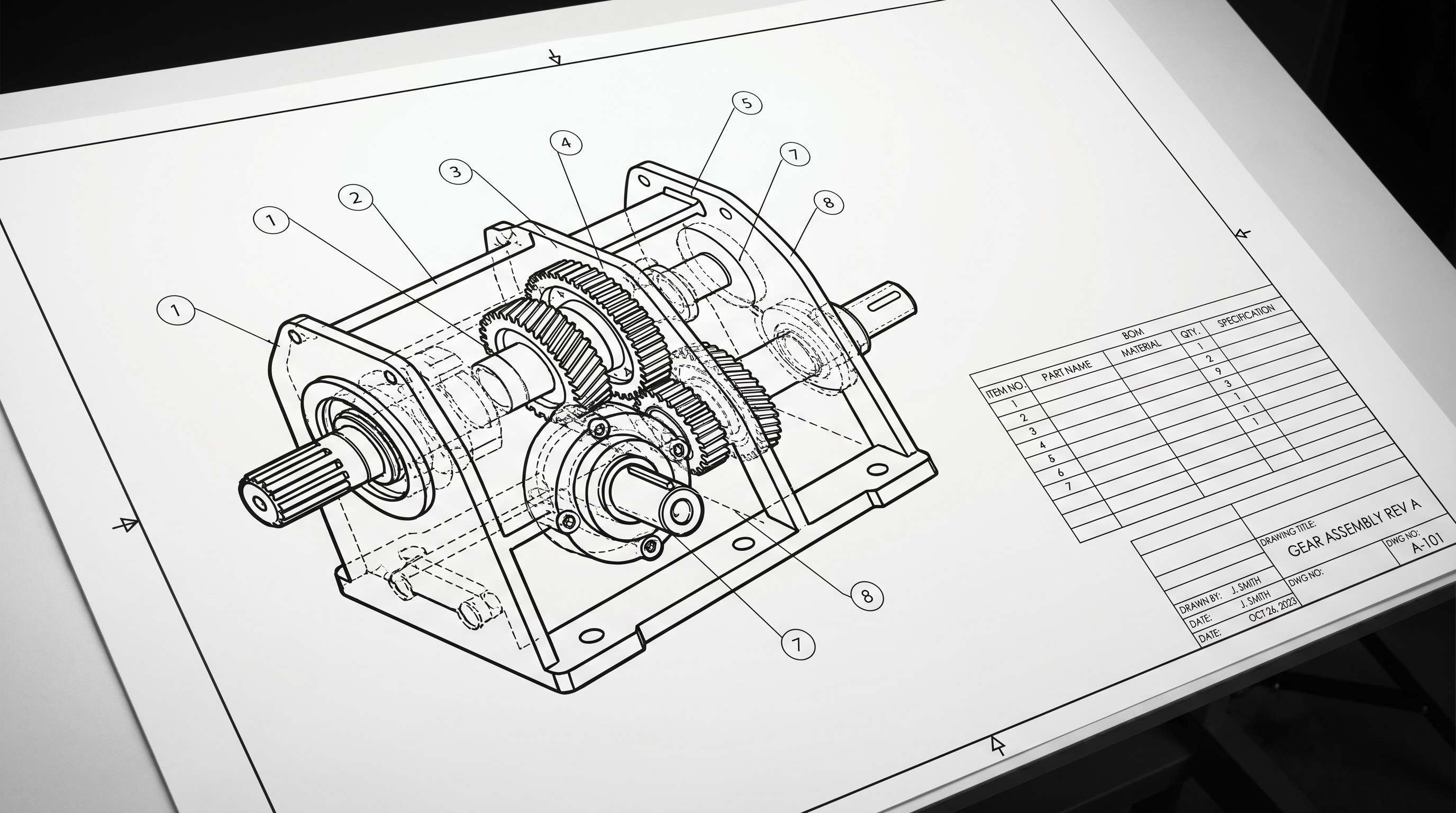
BOM extraction from drawings
Upload a drawing; the pipeline aims to recover part index, names, materials, quantities, and related fields into a structured table you can edit and export.
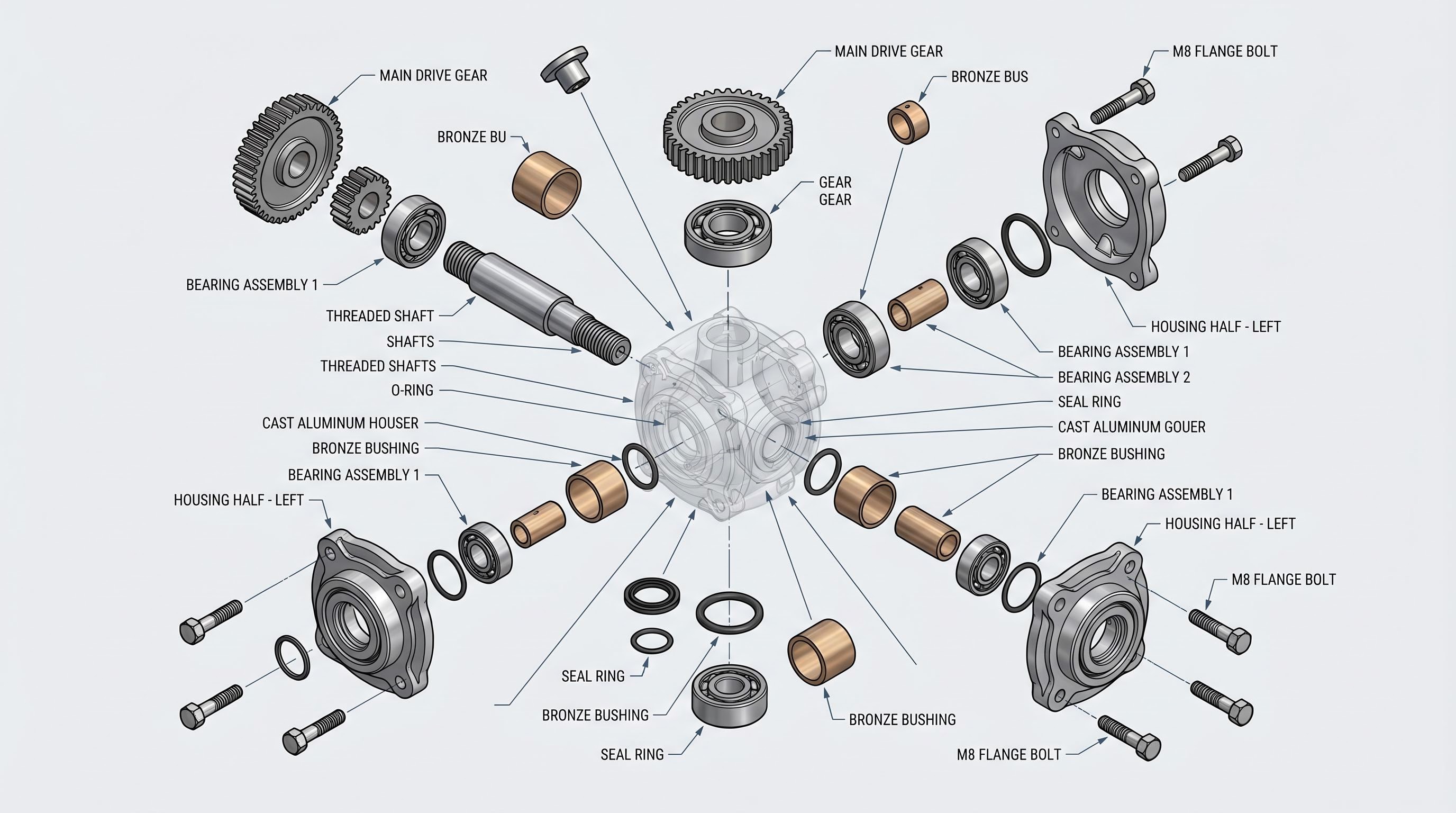
Exploded views and storytelling
For documentation and reviews, Drawing → Exploded style tooling helps communicate how components relate — useful for manuals, procurement packages, and design reviews.
Photoreal-style previews from CAD context
When you need a render-like still for decks or marketing — without standing up a full offline renderer — image-generation hooks can produce a plausible product shot from drawing or CAD context (availability depends on your deployment and API keys).
Web app: models, billing, and settings
The marketing site and signed-in dashboard connect to the same product vision:
Open source and self-hosting
The chatCAD monorepo includes the FreeCAD runtime bridge, optional FCagent stack (FastAPI + worker + React viewer patterns), skills and reference docs for TechDraw/BOM workflows, and automation scripts suitable for on-prem or cloud workers.